
visual project planning appLive product capture
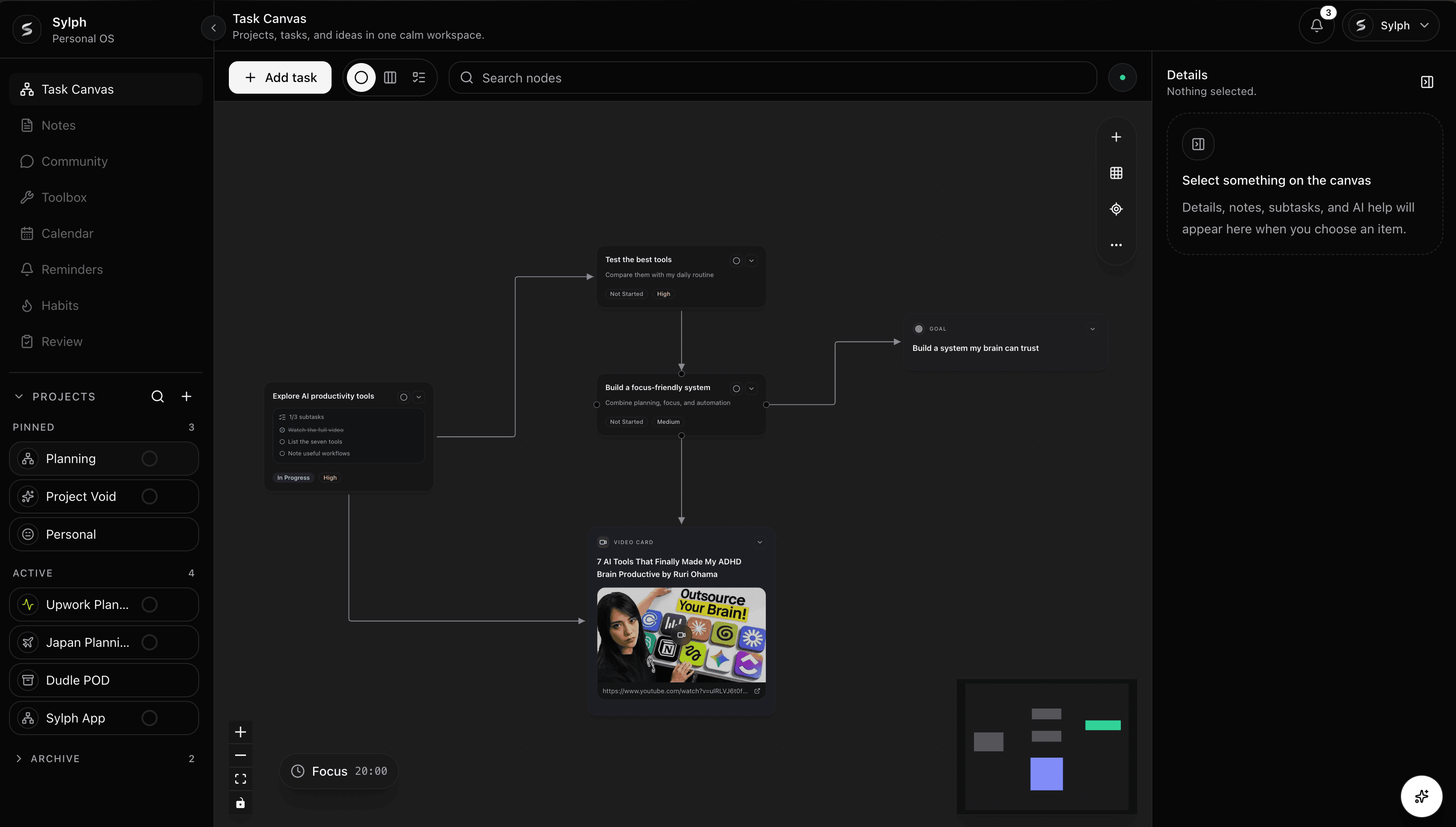
Visual project planning
Use Sylph's visual project planning canvas to map tasks, notes, dependencies, deadlines, and next actions in one calm workspace.
Create nodes for goals, tasks, source material, and checkpoints so the project becomes visible before it becomes rigid.
Move between Canvas, Kanban, and List views without rebuilding the same project in separate tools.
Keep due dates, status, priority, notes, and subtasks close to the shape of the plan.
Why it matters
Why it exists
Most planning tools ask you to commit to a list, board, or calendar before the shape of the work is clear. Sylph starts with the canvas, so you can see the moving parts, connect dependencies, and understand the plan before choosing the next view.
How it stays organized
When a task changes status, priority, due date, or subtasks, that context stays connected across Canvas, Kanban, and List views. The app is designed around one source of truth instead of several parallel planning surfaces.
How people use it
Use the visual canvas for strategy, Kanban for flow, List view for fast review, and project folders to keep separate goals from bleeding into each other.
Questions
A visual project planning app helps you arrange work spatially instead of only listing tasks. Sylph uses a Task Canvas so you can connect goals, tasks, notes, and dependencies before switching into Kanban or List views.
Yes. Sylph keeps task records synced across Canvas, Kanban, and List views, so changing a task in one view updates the same task everywhere else.