
notes and tasks appLive product capture
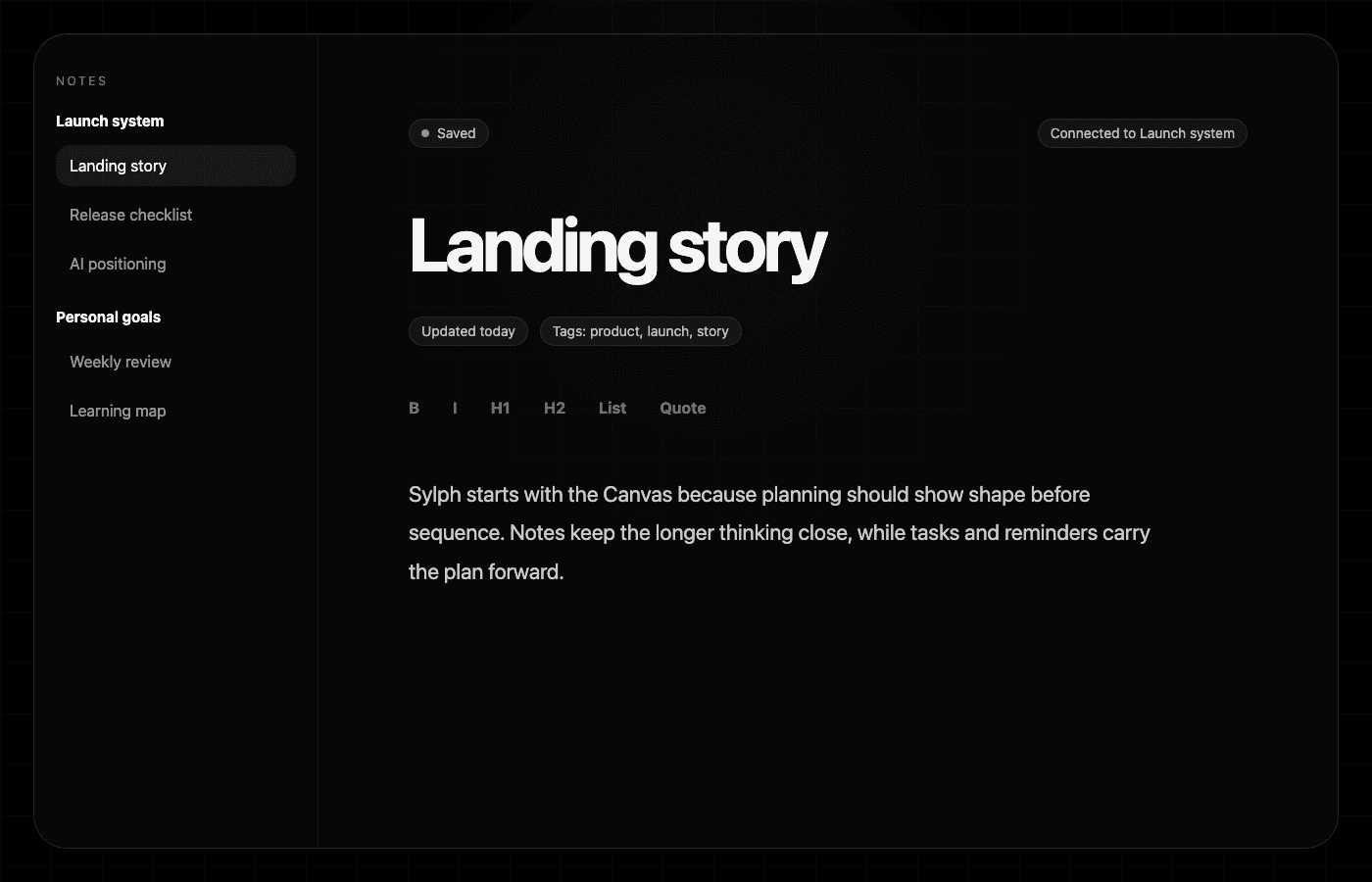
Notes and tasks
Sylph connects notes and tasks inside project folders, so writing, planning, deadlines, subtasks, and reviews can stay in the same workspace.
Keep longer thinking beside the tasks and projects it supports instead of scattering it across disconnected docs.
Use subtasks, due dates, reminders, habits, and reviews to make notes actionable when the writing becomes work.
Organize notes under project folders while keeping the main workspace simple and fast to navigate.
Why it matters
Connected writing
Tasks often need decisions, references, drafts, or context. Sylph keeps notes close to the project instead of treating writing as a separate place that you have to remember to check.
Project folders
Project folders make notes easier to browse while task views keep action visible. That gives you room to think without losing sight of what needs to happen next.
From thought to action
When notes turn into tasks, deadlines, reminders, habits, or reviews, Sylph keeps those pieces inside the same broader planning system.
Questions
A notes and tasks app keeps writing and action together. Sylph lets notes stay connected to project folders and task context, so research, drafts, decisions, and next actions do not live in separate silos.
Yes. Sylph is designed so notes, projects, task views, reminders, calendar planning, habits, and reviews can support the same plan.